
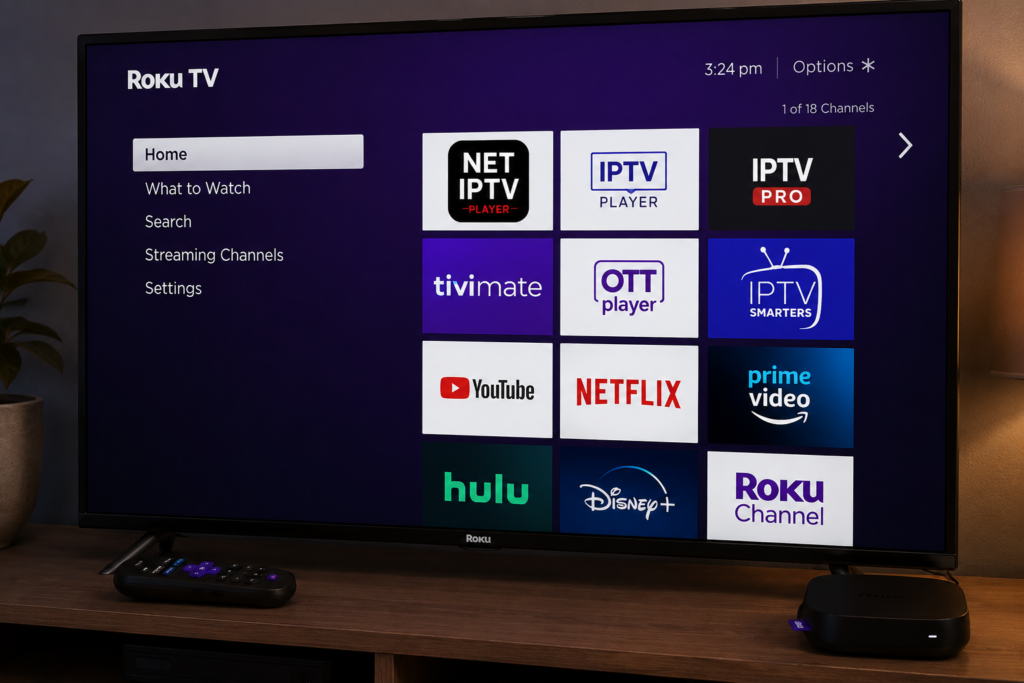
How to Install NET IPTV Player on Roku TV (Complete Guide 2026)
If you want to stream IPTV channels on your Roku TV, this guide will show you how to install and use IPTV players compatible with Roku devices.
Unlike Android TV or Firestick, Roku uses a closed operating system, so IPTV apps must be installed from the Roku Channel Store or cast from another device. ( netiptv.co.com )
You can also find more IPTV setup tutorials on:
Can You Install NET IPTV on Roku?
Roku does not officially support APK installation like Android devices.
However, you can still use IPTV on Roku by:
- Installing IPTV players from Roku Channel Store
- Casting IPTV apps from iPhone or Android
- Using supported M3U IPTV players ( netiptv.co.com )
Step 1 — Connect Your Roku TV to Internet
Before installing any IPTV player:
- Turn on your Roku TV
- Open Settings
- Go to Network
- Connect to your Wi-Fi
A stable internet connection is required for IPTV streaming. ( netiptv.co.com )
Step 2 — Open Roku Channel Store
On your Roku home screen:
- Open Streaming Channels
- Select Search Channels
- Search for:
- IPTV Player
- IPTV Pro
- OTTPlayer
- IPTV Smarters
Some IPTV players are available directly in the Roku Channel Store. ( netiptv.co.com )
Step 3 — Install IPTV Player
Choose any IPTV player compatible with Roku.
Recommended options:
- IPTV Player
- IPTV Pro
- OTTPlayer
- IPTV Smarters (via developer mode) ( netiptv.co.com )
Then:
- Click Add Channel
- Wait for installation
- Open the app
Step 4 — Add Your IPTV Playlist
Inside the IPTV player:
- Add your M3U URL
or - Login with Xtream Codes
Most Roku IPTV apps support:
- M3U playlists
- Xtream Codes API
- EPG TV Guide ( netiptv.co.com )
Step 5 — Start Streaming on Roku
After adding your playlist:
- Live TV channels will load
- Movies & series categories appear
- Favorites and search options become available
You can now enjoy IPTV streaming directly on Roku TV.
Best IPTV Apps for Roku TV
Popular IPTV apps compatible with Roku include:
- IPTV Player
- IPTV Pro
- OTTPlayer
- IPTV Smarters
- TiviPlayer ( netiptv.co.com )
More IPTV player guides:
Roku IPTV Troubleshooting
IPTV app not loading
- Restart Roku device
- Check internet connection
- Update Roku software
Playlist not working
- Verify M3U URL
- Re-enter Xtream Codes
- Check IPTV subscription status
Buffering issues
- Use faster internet
- Restart router
- Reduce video quality
Final Thoughts
Roku devices do not support APK sideloading like Android TV, but IPTV streaming is still possible using compatible IPTV players and M3U playlists. (troypoint.com)
For more IPTV tutorials and setup guides visit:
Pingback: NET IPTV Android TV: Install & Setup Guide 2026