
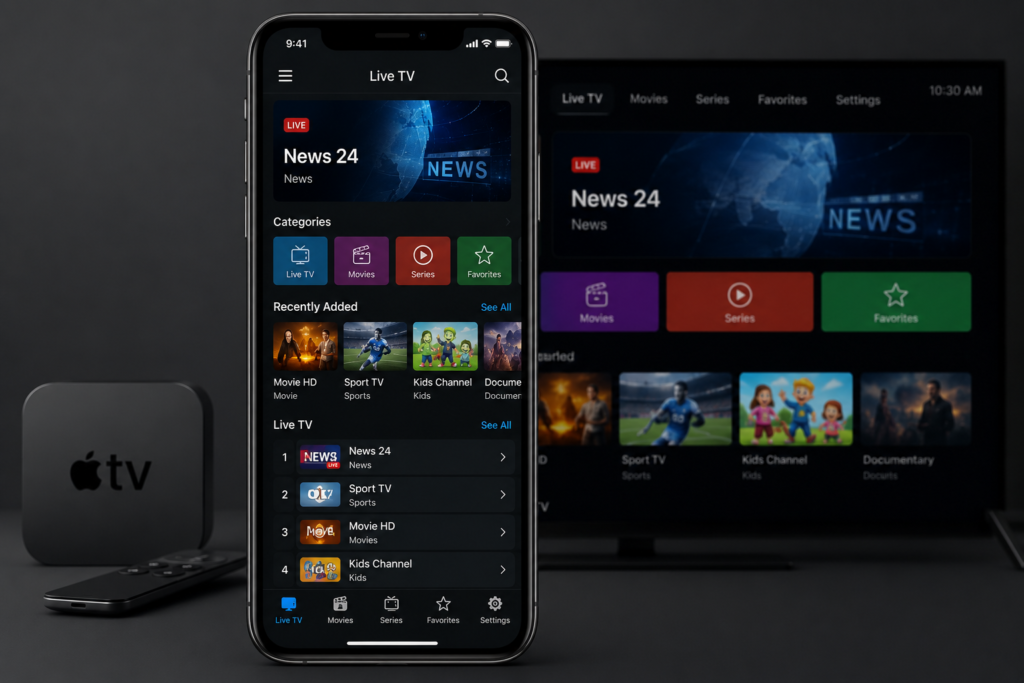
How to Install NET IPTV Player on iPhone & iPad (iOS Guide)
If you want to watch IPTV on your iPhone or iPad, the NET IPTV Player app is one of the easiest apps to use on iOS devices.
Step 1 — Open the App Store
On your iPhone or iPad:
- Open the App Store
- Search for NET IPTV Player
Or install directly from here:
Download NET IPTV Player for iOS
The app supports:
- iPhone
- iPad
- Apple TV (App Store)
Step 2 — Install the App
- Tap Get
- Wait for the installation to finish
- Open the app
Step 3 — Get Your Playlist
NET IPTV does not include channels or content by default.
You need:
- M3U Playlist URL
or - Xtream Codes login
The app supports both playlist formats. (App Store)
Step 4 — Add Your IPTV Playlist
Inside the app:
- Open Settings
- Choose:
- Add M3U Playlist
- or Xtream Playlist
- Enter your IPTV details
- Save
Step 5 — Start Watching
After adding your playlist:
- Channels will load automatically
- Movies & series categories will appear
- You can add favorites and continue watching later (App Store)
NET IPTV Features
- Live TV streaming
- Movies & Series support
- Favorites
- Smart search
- Picture in Picture
- Multiple playlists
- Background playback (App Store)
Requirements
- iOS 15.1 or later
- Internet connection
- IPTV playlist/provider (App Store)
Important Notice
NET IPTV Player does not provide TV channels or IPTV subscriptions.
Users must add their own playlists/content. (App Store)
To wrap up, IPTV for iPhone and iPad is simply a matter of choosing an iOS player, pasting your playlist and letting AirPlay send the picture to your TV.