
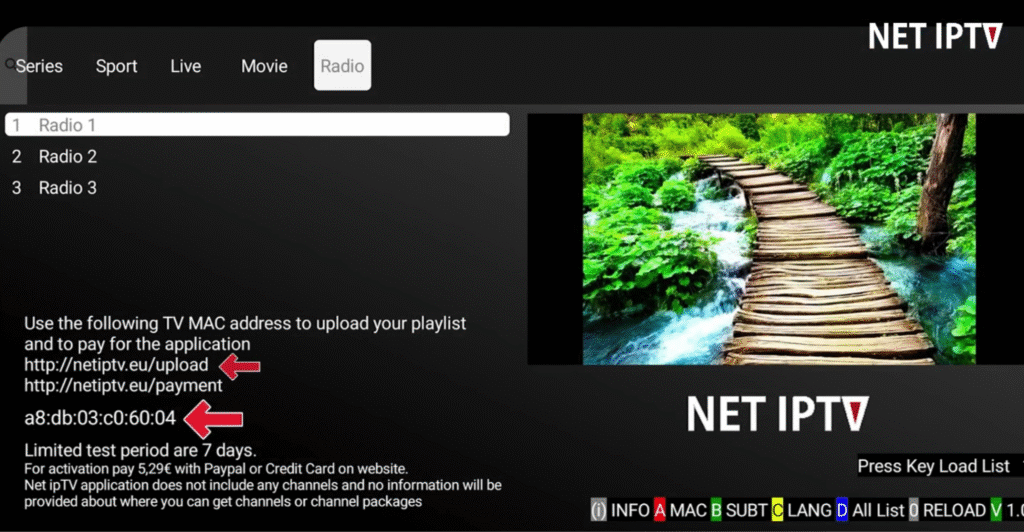
Adding a playlist to the NET IPTV app is required before you can watch live TV, movies, or series. Since NET IPTV is only an IPTV player and does not include channels by default, users must upload their own M3U playlist using the official NET IPTV portal.
This SEO-optimized guide will walk you through how to add a playlist on NET IPTV in just a few minutes, even if you are a beginner.
What You Need Before Adding a Playlist
Before you start, make sure you have the following:
NET IPTV app installed on your Smart TV or device
A valid M3U playlist URL from your IPTV provider
A stable internet connection
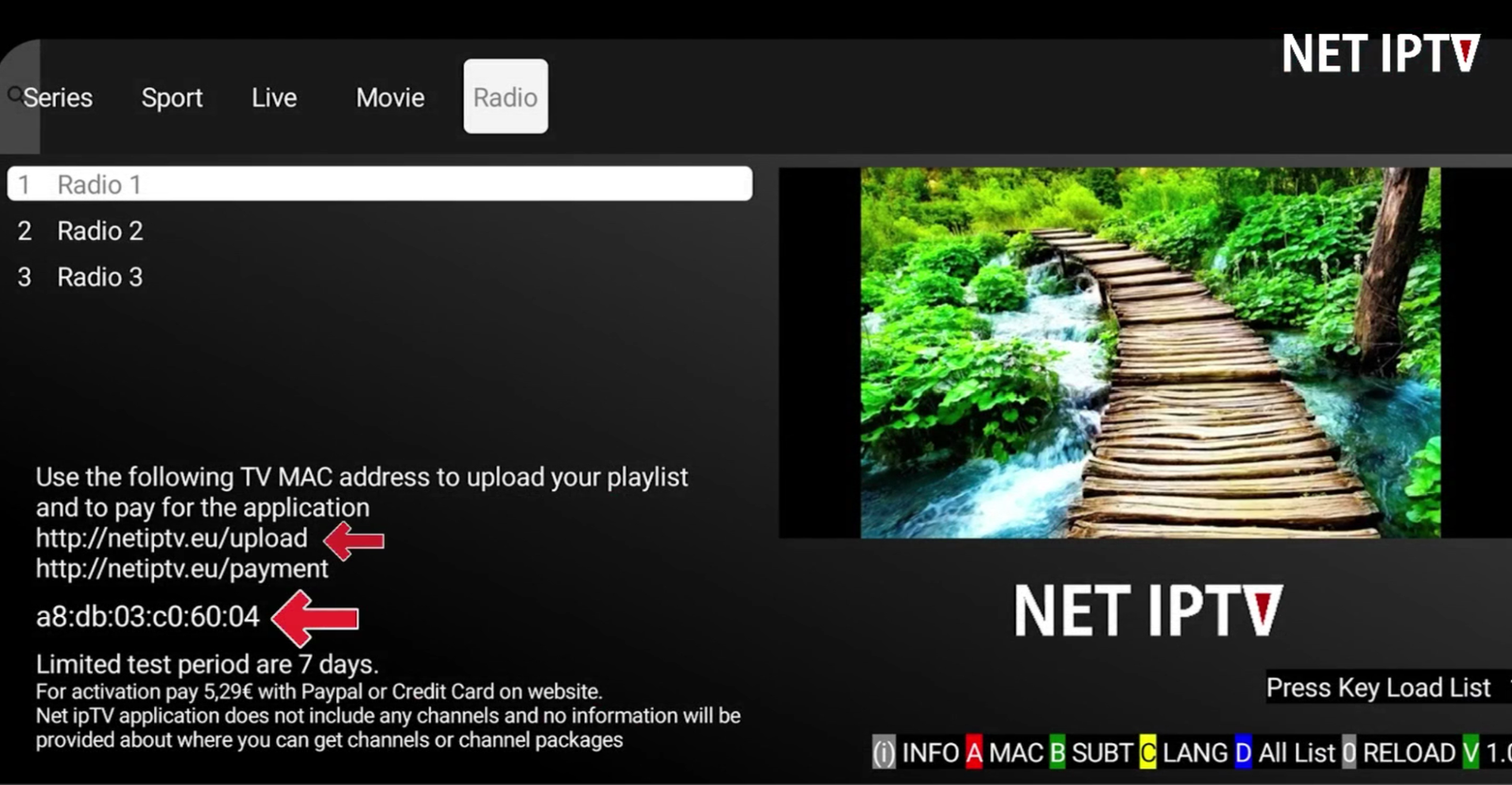
Step 1: Open NET IPTV App and Find Your MAC Address
Launch the NET IPTV app on your device.
On the main screen, you will see your MAC address clearly displayed.
This MAC address is unique to your device and is required to link your IPTV playlist.
Step 2: Prepare Your M3U Playlist URL
Your IPTV provider will give you an M3U playlist link, which contains all your channel information.
A typical M3U URL looks like this:http://provider.com/get.php?username=xxx&password=xxx&type=m3u
Make sure:
Your IPTV subscription is active
The URL is complete and correct
There are no extra spaces in the link
Step 3: Visit the Official NET IPTV Playlist Portal
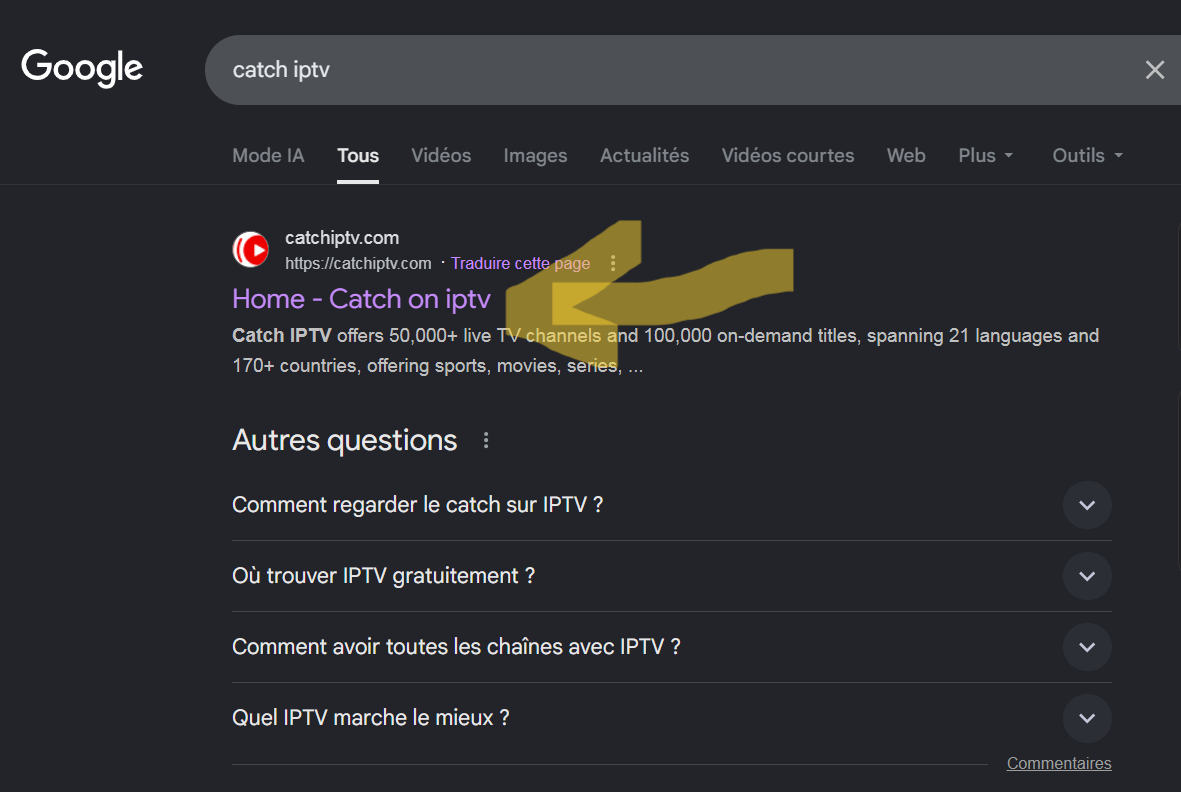
Using a browser on your phone or computer, visit the official NET IPTV website and go to the playlist upload section.
This is where you connect your device to your playlist.
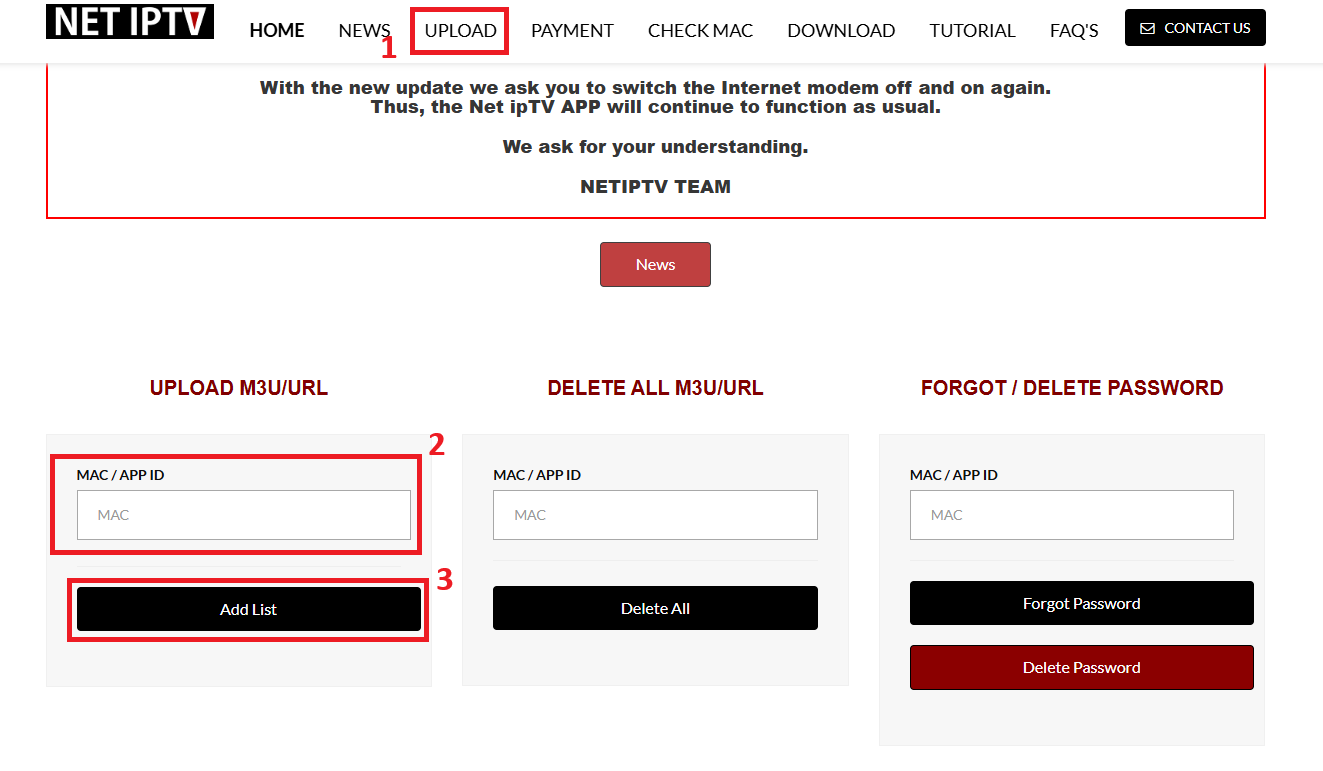
Step 4: Upload the Playlist to NET IPTV
In the playlist upload section:
Enter your MAC address
Paste your M3U playlist URL
Click Add List / Upload
Complete the reCAPTCHA verification
Submit the playlist
Once submitted, your playlist will be linked to your device.
Step 5: Restart the NET IPTV App (Very Important)
To apply the playlist:
Fully close the NET IPTV app
Wait 10–15 seconds
Reopen the app
Allow 30–60 seconds for channels to load

Troubleshooting Tips
If channels do not appear:
Double-check the MAC address
Verify your M3U playlist is active
Restart the app again
Check your internet connection
Important Note
NET IPTV does not provide channels. It is a media player only. Channel availability and quality depend entirely on your IPTV service provider.
Final Thoughts
Learning how to add a playlist on NET IPTV is simple when you follow the correct steps. With a valid M3U playlist and proper setup, NET IPTV offers a smooth and reliable IPTV streaming experience across supported devices.
Pingback: How to Fix IPTV Buffering: 10 Ways to Stop IPTV From Freezing
Pingback: How to Fix NET IPTV Buffering in 2026: 9 Fixes That Actually Work - NET IPTV
Pingback: NET IPTV vs TiviMate vs IPTV Smarters: Which Is the Best IPTV Player in 2026? - NET IPTV